
Slight Upgrade
-
My wife works for the phone company, who is also our TV and internet provider, so she gets a discount on most of the services. Because of that, we also usually get the latest and greatest services, and this week my wife ordered the HD channels and upgraded our 'net service. I posted the results of the 'net service in the speed thread, but I figured I'd show the details of the TV service in it's own thread.
This was my setup when the HD service was installed- note the new, bigass modem standing up on the right.
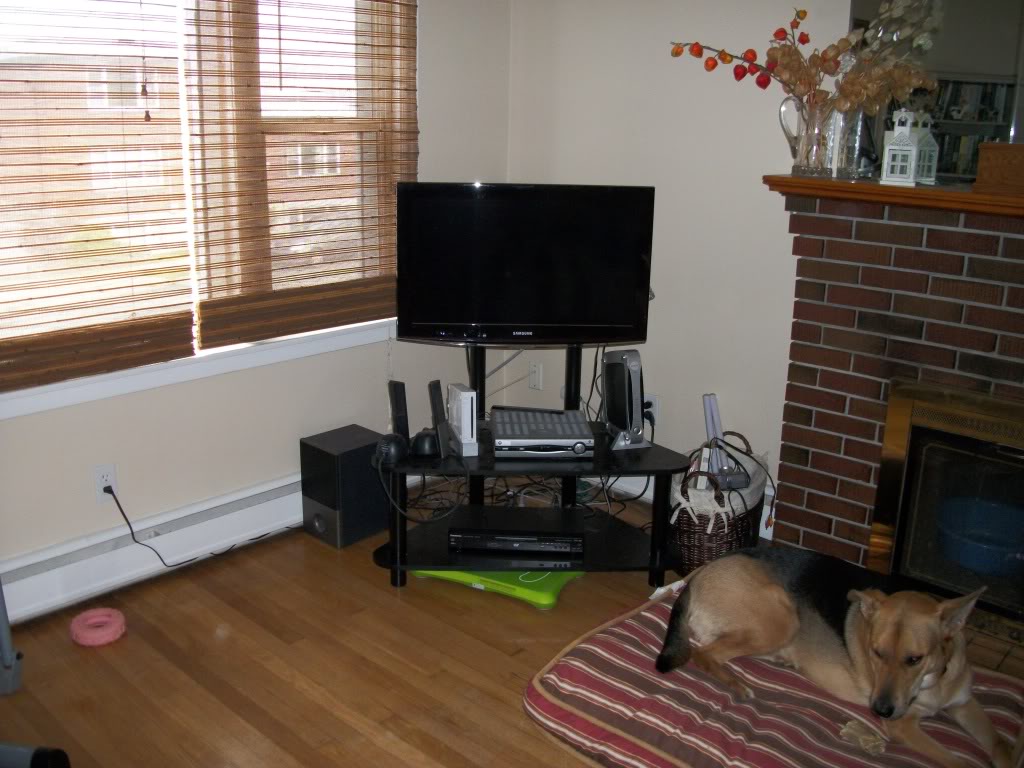
The TV is a 32" Samsung that I purchased last year to replace (get this!) a 14" TV I had in my living room. The 32" is a nice TV, and I really like it, but it is only 720p. To take advantage of the new channels, I need a 1080p TV, so, with the wife in tow, we went out shopping today. This is the result:
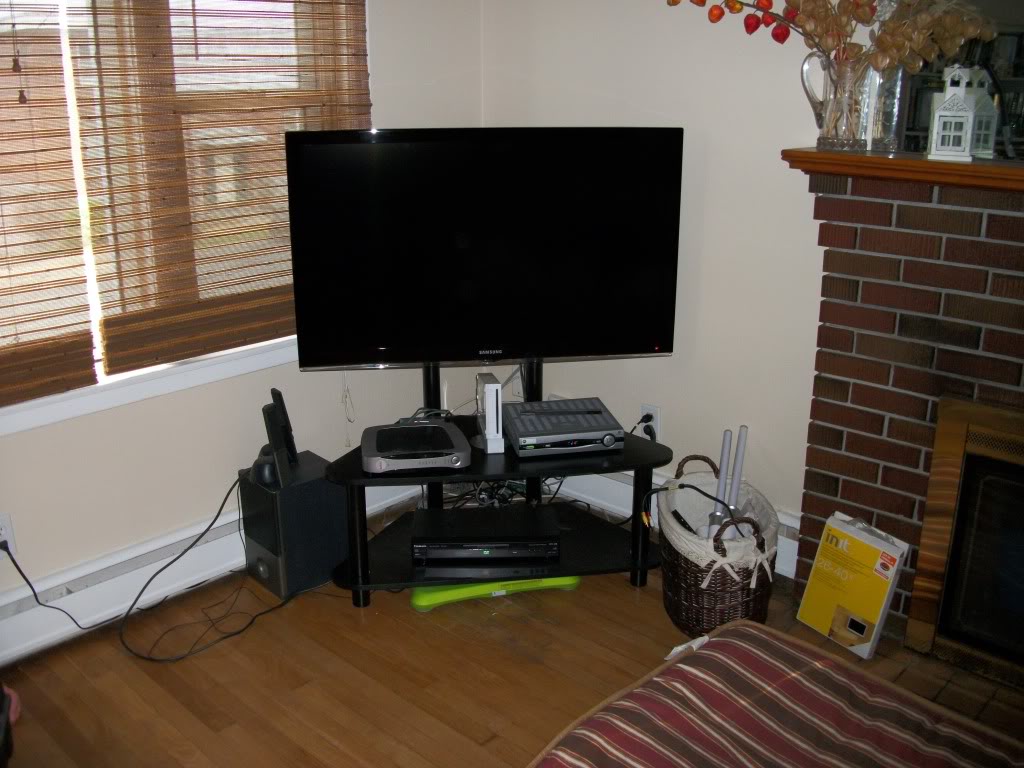
This new Samsung is 46" and 1080p, and the 32" one has moved to the bedroom. The neat thing is that the remotes on both TV's use the same code, so I didn't even have to reprogram the universal remote!
Kim and I are both pretty happy to have this new TV, and even more so since the store we bought it from is owned by the company she works for, and she gets a good discount there.
Next up? Possibly a Blue Ray player and/or surround sound system.
Oh, and that's my little Daisy in the first pic, in case anyone doesn't know who she is by now!
Def
-
is it 60 120 or 240 hertz?
if it's 120 or 240 get a high speed hdmi cable to really give it some polish for your future blu-ray.
120 with MotionPlus, whatever that is.
I was actually shooting for something in the 50-55" range, but this was the biggest they had in-store, and the wife wanted a TV now so we took the biggest they had. There was also a 3DTV, but there was no way I was paying for a dimension I wasn't going to use.
Def
-
Oh yeah, and the stand says it's only rated for up to a 42" TV, weighing less than 100 pounds. This is over 42" but I figure I'm ok since it's under the maximum weight. Of course, I'll know for sure in a few days if the TV is face down on the floor! :ahhh
Def
-
Yes, it will have to play DVD's- that's a must. I have somewhere in the neighborhood of 200 DVD movies, and I'd hate to have to write them off. My DVD player has been on the fritz for some time, and I need a new one. Mine is pretty ancient- I got it while Blockbuster was still renting VHS tapes, so it's certainly done it's time.
Lately to watch DVD's I've had to plug my laptop into the TV and watch them that way!
Def
-
Nice set up Grant. I'll second the vote for a Blu-Ray, I was in exactly the same boat as you at the start of the year, with a knackered old DVD that barely worked. Went shopping and realised that Blu-Ray players were only fractionally more to buy than a DVD player.
A Blu-Ray player will also up the quality of the playback on your DVD's, some films benefit from it far more than others, but it's still a nice feature.
The only downside is that the Blu-Ray discs are notably more to buy than DVD's. :-\
-
Nice TV... we looked yesterday out of curiosity, local Media Markt had a 37inch Sony for 444eur, and a 42inch LG for 499eur, but, as much as I'd love to have an HD TV at last, there are other things higher up the priority list.
-
It's rarely an if, but rather how question... for example, the PC I have plugged into the old CRT TV now has S-VHS out for video, and I'm using a mini stereo jack to RCA cable for the audio, both cables plugged into a s-vhs/rca SCART adapter on the back of the TV. Works just fine.
Many moons ago, I had a TV out box for connecting to my TV... I'm sure Grant will remember that... it allowed me to use the 2nd VGA out of my video card (MATROX cloned desktop FTW!)... and the audio was similar except it was in Canada, so no scart, and the audio was plugged direct into the surround sound stereo... that plus the 4 player Gravis multiport meant some mean 2vs2 NHL games on a big screen with big sound... and a few cases of beer to motivate both mistakes and successes...
These days with all the modern tech you have it quite easy I think... if your PC/MAC/laptop/gaming device has HDMI port, and so does your TV, you only need the one cable for audio and video... unless I'm wrong about this?
-
Very nice Def. I think I have the same TV or something very close to it. I bought it 2 years ago...a Series 7 Samsung 46" TV that fits my small living room. You definitely need a blue ray, Once you see a movie in HD, there is no going back. I would get the player before investing in a surround sound set up. I have a Samsung player and can highly recommend it...but I think they don't make a bad player these days. When it is time to get surround sound, I can highly recommend a Harman/Kardon AVR 3600 and the speakers of your choice.
Oh and look into the Logitech harmony remote controls.

-
@ryan1835 said:
ive got my eyes on a samsung 32" led hd tv dunno if id be able to plug my mac into it though :S?As Micah said, it's too easy to plug computers into TV's these days. The simplest way is to use a VGA cable, and that's what I usually do. Most TV's nowadays have a VGA in, and most laptops have it as well, although I really don't know anything about Macs. Basically if it has a VGA out to support an external monitor, it will work. Setup is easy- plug it in and the computer automatically recognizes that it's attached to an external monitor and duplicates the desktop. It's so easy in fact, that my netbook (older model) and my wife's netbook (newer model) both plug in and work within seconds. It's a far cry from the days Micah mentioned where you had to buy specialized equipment and screw around with settings for an hour or so until you found something that worked!
I have an Altech Lansing speaker set (2.1) that I plug into my laptop's headphone port when using the laptop to watch movies on the TV, since my laptop's speakers are pretty weak when trying to use them to fill a room.
I've looked at the Logitech Harmony remotes, and realized they are nice, but out of my price range by far- at least for a remote.
What I had seriously thought about doing for a Blue Ray player and sound setup etc, was to get a small media PC similar to this one:
This way I can watch streaming videos, downloaded videos (still legal in Canada), pretty well anything I like.
Def
-
If you're looking for a Blu-Ray player consider spending the extra few bucks and getting a Playstation 3, even if you aren't a gamer.
The multi-media features alone make the PS3 worth every penny. (Not to mention all the free content from Sony!) It doesn't have to be new, either. I've seen 80GB PS3's going for $200 USD and under on E-Bay.
(Just saw the post above)
For streaming media, get the PS3, connect using HDMI cable.
Download PlayOn: http://www.playon.tv/playon/
You'll be up and running in five minutes.
Then when you want to play, Google "Play on plugins" and have a blast!
You won't look back! :)
Check out this thread when you have some time:

X Box Advice needed
I'm not a big game player , I played Tomb raider back in the early 90's and loved it but nothing serious since . I've seen some video footage of the new call...
Multitool.Org Forum (multitool.ninja)
-T
-
I have read that thread, and I have no plans or desire to purchase a PS3. I'm currently Sony free, and I'd like to stay that way. I have had more problems with Sony devices and the subsequent "service" than I care to remember, and their desire to make things proprietary to the point where your entire world has to be Sony really bothers me as well. Simply not going to happen- between my full cable package, streaming videos, downloaded TV shows and movies, Netflix and PPV movies and the DVD's I already own, I have more available to me for my amusement than I could ever want. Plus I have a PVR, so whatever I could possibly want to watch is also available to me whenever I want to watch it.
Plus I'm not one to buy complex electronics like a PS3 from an ebay seller. Some things I don't mind taking a chance on, but not something like that.
Def





 &





Hello! It looks like you're interested in this conversation, but you don't have an account yet.
Getting fed up of having to scroll through the same posts each visit? When you register for an account, you'll always come back to exactly where you were before, and choose to be notified of new replies (either via email, or push notification). You'll also be able to save bookmarks and upvote posts to show your appreciation to other community members.
With your input, this post could be even better 💗
Register Login


