Thinking of getting into building a new PC system.
-
Just upgraded to a TP-link Archer AX50 WiFi 6 AX3000 router 10 minutes ago. I think that is about all for upgrades now. There is a feature called smart setting which combines the 2.4 and 5 G bands together and lets the router figure out which is the better connection at all times. Sounds like a great feature.
Last week, I purchased an Enhance Power up mouse mat and mouse. That is a great combo with a cordless charging section on the mouse mat to charge the mouse. I am sorry I bought a Logitech G903 Mouse before settling on the current set up. I just couldn't get used to the feel of that mouse, and it wasn't cheap at that either. I wished I could have tried it before I bought it, but the store didn't have any on display. The Enhance mouse is much better ergonomically.
-
When my last mouse started to go I got a g203, and I love it, while in Paris I decided to get a wireless to go with my new laptop and ended up with a g305. About my only complaint is the scroll smoothness, otherwise great.
-
The G903 is the first Logitech mouse that I could not get along with. It is a claw style mouse which is ok. My big issue is the length of the mouse combined with my short fingers made the mouse very uncomfortable to use. I had to climb forward always with my hand if that makes sense.
-
I see, the ones I got are likely better (and in a cheaper price group)

Logitech G903 LIGHTSPEED vs G305 LIGHTSPEED: Which Mouse Is Better?
The Logitech G903 LIGHTSPEED is a better wireless gaming mouse than the Logitech G305 LIGHTSPEED. It feels better built and has a more comfortable design. It can also be used by almost any hand size in every grip type, except for small hands with a fingertip grip. It has more programmable buttons, and you can unlock the scroll wheel for infinite scroll. On the other hand, the G305 is a smaller and more lightweight mouse that may be easier to travel with.

RTINGS.com (www.rtings.com)
-
based on the stats it is a little larger than both my current G series mice
-
Yes. I also bought a Razor Firefly hard edition mouse mat to go along with the G903. Once I found out I couldn't get along with the mouse, i found an Enhanced pad with mouse combo that ticked off all of my boxes. Love the wireless charging and the mouse is super comfortable and fits me.
- YouTube
Auf YouTube findest du die angesagtesten Videos und Tracks. Außerdem kannst du eigene Inhalte hochladen und mit Freunden oder gleich der ganzen Welt teilen.

(www.youtube.com)
My only problem, I have to register to get the mouse software to control the mouse RGB and stuff. I have not registered yet and am wondering if it is worth it. thankfully, the mouse pad has a set of 2 built in buttons that does most of the heavy lifting for the mat.
-
Your set up is sweet. Just saw it mounted

-
Yeah. I haven't registered yet as I don't see the need to change the LED colour on the mouse. It glows green when all is good, and turns red when it needs charging. The mouse pad is sweet though., With the RGB design, it looks better than the Firefly mouse mat that also features RGB.
Thanks Aloha. it freed up some much needed desk space.
-
my g203 has RBG, I have it turned off most of the time.
-
The mouse pad looks good. My palm covers the RGB on this mouse. I see no real reason to get that mouse software by registering. I just am not all that ok with handing over personal info often.
Back in the day, I used to build systems with lighted fans. This was pre-RGB, so you had to go with mostly with a 1 colour pallet, and there was no way to turn the effect off either. I much like this RGB stuff. I can go all light fantastic, or turn it off if it gets annoying. Best of both worlds actually.
-
Ok. I was cruising Amazon (always a dangerous thing) when I spied the same memory modules from the same seller that I bought previously at a cheaper price! I now have another set of memory modules with the same specifications en route. That will give me 32GB of RAM in total (4x8GB modules). that is overkill...but the RAM modules are so cheap...why not.
-
it's not going to hurt
-
The extra memory came in today. It was a week late due to Covid-19 shipping restrictions enacted by Amazon. I was lucky in that I didn't have to take the computer off the wall or remove the tempered glass plate. I did need a small 3 step stool to get enough height to get at the memory bank from above, and with the aid of a long Phillips screwdriver to gently push open the bottom retainer clips...it went very well.
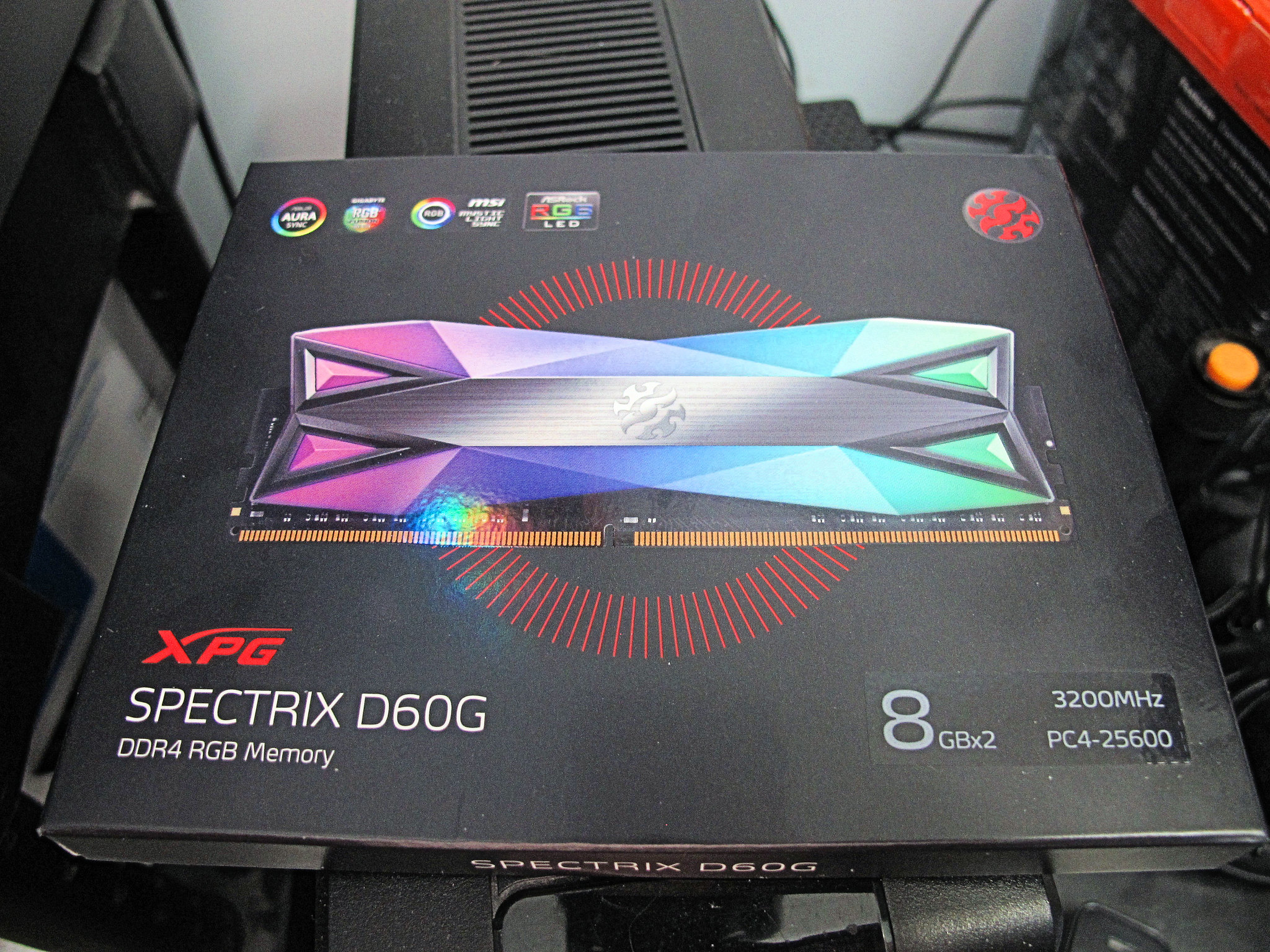
Here is the box that the colourful RAM Kit came in.The XPG Spectrix D60G modules are very colourful.
<a href="https://flic.kr/p/2iQjk6K" target="_blank" rel="noopener noreferrer"><img src="https://live.staticflickr.com/65535/49773525673_4ed042dca2_k.jpg" alt="banner" style="max-width: 100%; height: auto;" /></a>IMG_8344A by Chako, on Flickr
<a href="https://flic.kr/p/2iQoJyx" target="_blank" rel="noopener noreferrer"><img src="https://live.staticflickr.com/65535/49774385047_0862333006_k.jpg" alt="banner" style="max-width: 100%; height: auto;" /></a>IMG_8345A by Chako, on Flickr
When I first booted the computer after installing the extra memory, I got a message saying my memory info was incorrect, and it booted me right into the BIOS. I looked around to see if I needed to set the extra memory to the proper frequency, but it did it all automatically. I rebooted and everything was fixed and operating.
Here is a photo of my 4 RAM modules installed. Now I have 32Gb of memory,

I figured 16Gb was good enough...but the price was hard to resist. Memory sure has come down in price.
<a href="https://flic.kr/p/2iQoJwy" target="_blank" rel="noopener noreferrer"><img src="https://live.staticflickr.com/65535/49774384932_692c282a5e_k.jpg" alt="banner" style="max-width: 100%; height: auto;" /></a>IMG_8346A by Chako, on Flickr
I am thinking of installing something that spews RGB between the power supply and graphics card. I have a big black hole there...and the GPU bracket I previously bought was of the wrong voltage and pin configuration.That will have to wait especially with all the uncertainty of getting a package delivered from oversees during these times..
-
I had forgotten how nice it is to simply press ok whenever Windows 10 wants to update itself without fear...so far of going to place of computer purgatory. I still haven't figured out what it was of my old system that prevented windows from upgrading itself...I am thinking a driver issue with something possibly.
-
@Chako said:
The extra memory came in today. It was a week late due to Covid-19 shipping restrictions enacted by Amazon. I was lucky in that I didn't have to take the computer off the wall or remove the tempered glass plate. I did need a small 3 step stool to get enough height to get at the memory bank from above, and with the aid of a long Phillips screwdriver to gently push open the bottom retainer clips...it went very well.Here is the box that the colourful RAM Kit came in.The XPG Spectrix D60G modules are very colourful.
<a href="https://flic.kr/p/2iQjk6K" target="_blank" rel="noopener noreferrer"><img src="https://live.staticflickr.com/65535/49773525673_4ed042dca2_k.jpg" alt="banner" style="max-width: 100%; height: auto;" /></a>IMG_8344A by Chako, on Flickr
<a href="https://flic.kr/p/2iQoJyx" target="_blank" rel="noopener noreferrer"><img src="https://live.staticflickr.com/65535/49774385047_0862333006_k.jpg" alt="banner" style="max-width: 100%; height: auto;" /></a>IMG_8345A by Chako, on Flickr
When I first booted the computer after installing the extra memory, I got a message saying my memory info was incorrect, and it booted me right into the BIOS. I looked around to see if I needed to set the extra memory to the proper frequency, but it did it all automatically. I rebooted and everything was fixed and operating.
Here is a photo of my 4 RAM modules installed. Now I have 32Gb of memory,
I figured 16Gb was good enough...but the price was hard to resist. Memory sure has come down in price.
<a href="https://flic.kr/p/2iQoJwy" target="_blank" rel="noopener noreferrer"><img src="https://live.staticflickr.com/65535/49774384932_692c282a5e_k.jpg" alt="banner" style="max-width: 100%; height: auto;" /></a>IMG_8346A by Chako, on Flickr
I am thinking of installing something that spews RGB between the power supply and graphics card. I have a big black hole there...and the GPU bracket I previously bought was of the wrong voltage and pin configuration.That will have to wait especially with all the uncertainty of getting a package delivered from oversees during these times..
Needs MOAR RGB :D

-
I have looked at those while building the system. Over here they run 60 to 80 dollars a cable. I was tempted.
I am still toying with this GPU bracket...
Thinking of sending something custom for them to do...but am holding off till all this COVID 19 shipping thing is over.
-
Well this is quite fun. I bought a Thermaltake BlacX Duet HD docking station when building this new system. This morning, I went upstairs and removed my hard drives from one of my older computer and am now installing all my 2007/2008 images that I didn't have on my newer build. Going to take a long time, but well worth it. I will now have most of my photos together on the 4Tb drive.



Hello! It looks like you're interested in this conversation, but you don't have an account yet.
Getting fed up of having to scroll through the same posts each visit? When you register for an account, you'll always come back to exactly where you were before, and choose to be notified of new replies (either via email, or push notification). You'll also be able to save bookmarks and upvote posts to show your appreciation to other community members.
With your input, this post could be even better 💗
Register Login