Thinking of getting into building a new PC system.
-
my g203 has RBG, I have it turned off most of the time.
-
The mouse pad looks good. My palm covers the RGB on this mouse. I see no real reason to get that mouse software by registering. I just am not all that ok with handing over personal info often.
Back in the day, I used to build systems with lighted fans. This was pre-RGB, so you had to go with mostly with a 1 colour pallet, and there was no way to turn the effect off either. I much like this RGB stuff. I can go all light fantastic, or turn it off if it gets annoying. Best of both worlds actually.
-
Ok. I was cruising Amazon (always a dangerous thing) when I spied the same memory modules from the same seller that I bought previously at a cheaper price! I now have another set of memory modules with the same specifications en route. That will give me 32GB of RAM in total (4x8GB modules). that is overkill...but the RAM modules are so cheap...why not.
-
it's not going to hurt
-
The extra memory came in today. It was a week late due to Covid-19 shipping restrictions enacted by Amazon. I was lucky in that I didn't have to take the computer off the wall or remove the tempered glass plate. I did need a small 3 step stool to get enough height to get at the memory bank from above, and with the aid of a long Phillips screwdriver to gently push open the bottom retainer clips...it went very well.
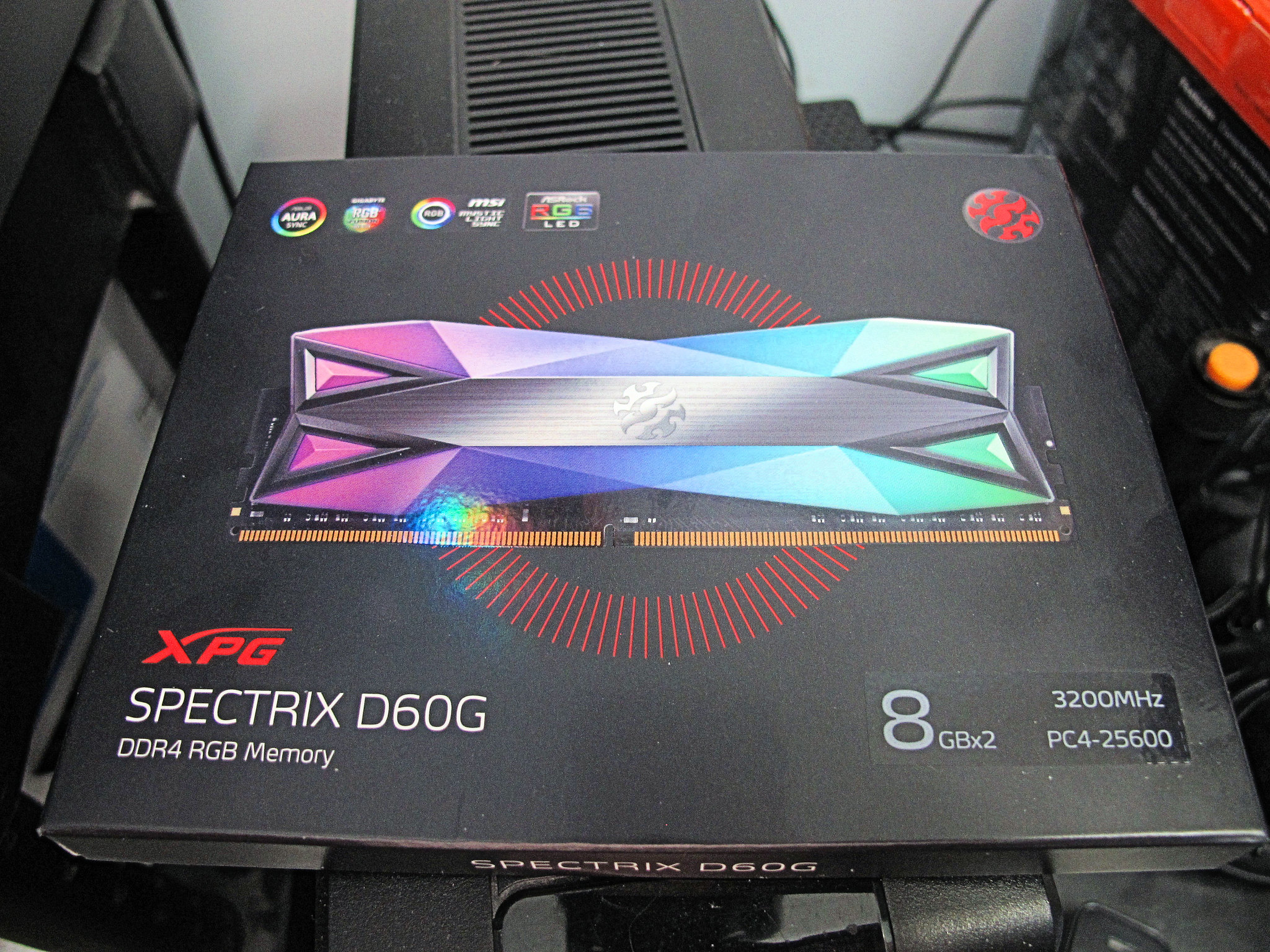
Here is the box that the colourful RAM Kit came in.The XPG Spectrix D60G modules are very colourful.
<a href="https://flic.kr/p/2iQjk6K" target="_blank" rel="noopener noreferrer"><img src="https://live.staticflickr.com/65535/49773525673_4ed042dca2_k.jpg" alt="banner" style="max-width: 100%; height: auto;" /></a>IMG_8344A by Chako, on Flickr
<a href="https://flic.kr/p/2iQoJyx" target="_blank" rel="noopener noreferrer"><img src="https://live.staticflickr.com/65535/49774385047_0862333006_k.jpg" alt="banner" style="max-width: 100%; height: auto;" /></a>IMG_8345A by Chako, on Flickr
When I first booted the computer after installing the extra memory, I got a message saying my memory info was incorrect, and it booted me right into the BIOS. I looked around to see if I needed to set the extra memory to the proper frequency, but it did it all automatically. I rebooted and everything was fixed and operating.
Here is a photo of my 4 RAM modules installed. Now I have 32Gb of memory,

I figured 16Gb was good enough...but the price was hard to resist. Memory sure has come down in price.
<a href="https://flic.kr/p/2iQoJwy" target="_blank" rel="noopener noreferrer"><img src="https://live.staticflickr.com/65535/49774384932_692c282a5e_k.jpg" alt="banner" style="max-width: 100%; height: auto;" /></a>IMG_8346A by Chako, on Flickr
I am thinking of installing something that spews RGB between the power supply and graphics card. I have a big black hole there...and the GPU bracket I previously bought was of the wrong voltage and pin configuration.That will have to wait especially with all the uncertainty of getting a package delivered from oversees during these times..
-
I had forgotten how nice it is to simply press ok whenever Windows 10 wants to update itself without fear...so far of going to place of computer purgatory. I still haven't figured out what it was of my old system that prevented windows from upgrading itself...I am thinking a driver issue with something possibly.
-
@Chako said:
The extra memory came in today. It was a week late due to Covid-19 shipping restrictions enacted by Amazon. I was lucky in that I didn't have to take the computer off the wall or remove the tempered glass plate. I did need a small 3 step stool to get enough height to get at the memory bank from above, and with the aid of a long Phillips screwdriver to gently push open the bottom retainer clips...it went very well.Here is the box that the colourful RAM Kit came in.The XPG Spectrix D60G modules are very colourful.
<a href="https://flic.kr/p/2iQjk6K" target="_blank" rel="noopener noreferrer"><img src="https://live.staticflickr.com/65535/49773525673_4ed042dca2_k.jpg" alt="banner" style="max-width: 100%; height: auto;" /></a>IMG_8344A by Chako, on Flickr
<a href="https://flic.kr/p/2iQoJyx" target="_blank" rel="noopener noreferrer"><img src="https://live.staticflickr.com/65535/49774385047_0862333006_k.jpg" alt="banner" style="max-width: 100%; height: auto;" /></a>IMG_8345A by Chako, on Flickr
When I first booted the computer after installing the extra memory, I got a message saying my memory info was incorrect, and it booted me right into the BIOS. I looked around to see if I needed to set the extra memory to the proper frequency, but it did it all automatically. I rebooted and everything was fixed and operating.
Here is a photo of my 4 RAM modules installed. Now I have 32Gb of memory,
I figured 16Gb was good enough...but the price was hard to resist. Memory sure has come down in price.
<a href="https://flic.kr/p/2iQoJwy" target="_blank" rel="noopener noreferrer"><img src="https://live.staticflickr.com/65535/49774384932_692c282a5e_k.jpg" alt="banner" style="max-width: 100%; height: auto;" /></a>IMG_8346A by Chako, on Flickr
I am thinking of installing something that spews RGB between the power supply and graphics card. I have a big black hole there...and the GPU bracket I previously bought was of the wrong voltage and pin configuration.That will have to wait especially with all the uncertainty of getting a package delivered from oversees during these times..
Needs MOAR RGB :D

-
I have looked at those while building the system. Over here they run 60 to 80 dollars a cable. I was tempted.
I am still toying with this GPU bracket...
Thinking of sending something custom for them to do...but am holding off till all this COVID 19 shipping thing is over.
-
Well this is quite fun. I bought a Thermaltake BlacX Duet HD docking station when building this new system. This morning, I went upstairs and removed my hard drives from one of my older computer and am now installing all my 2007/2008 images that I didn't have on my newer build. Going to take a long time, but well worth it. I will now have most of my photos together on the 4Tb drive.
-
Ok. There is a Thermaltake mod page with a bunch of items you can print from a 3D printer to upgrade, and improve the Thermaltake P3 case. I was able to print a pair of fan brackets that fit over the tempered glass shield that would direct air downwards. I figure having some air blowing down on the motherboard mosfets can be only a good thing considering I am using liquid cooling and the P3 is an open air case. Once I was able to print a set, i went looking on Amazon for a suitable fan. I came across a upHere PF360CF case fan that is basically 3 120mm fans together wired to 1-4 pin header. Now that would be kinda cool instead of having just the one fan blowing around my CPU socket. I found the fan came in rainbow colour which fits my case lighting perfectly. Last night, I printed another set and am glad I did, because having just the 2 would not have provided enough support I think. I also got a kick of the brand name upHere. Literally my intentions for this addition...to place it upHere.

.<a href="https://flic.kr/p/2j5zzVJ" target="_blank" rel="noopener noreferrer"><img src="https://live.staticflickr.com/65535/49934933176_2eb651bcc3_k.jpg" alt="banner" style="max-width: 100%; height: auto;" /></a>IMG_8509A by Chako, on Flickr
<a href="https://flic.kr/p/2j5wX3B" target="_blank" rel="noopener noreferrer"><img src="https://live.staticflickr.com/65535/49934418883_9e7afc60c1_k.jpg" alt="banner" style="max-width: 100%; height: auto;" /></a>IMG_8513A by Chako, on Flickr
That red PLA was the perfect choice for the case colour. There was a free spot on the DeepCool fan expansion box. It was a good spot to park it as I can do better cable management here than over the motherboard.
The more I look at the result, the more I like it.
-
Just got an MSI Optix G27C5 monitor. I am digging the curved display, and because it is a gaming dedicated monitor, my games are a lot smoother on it as well compared to my old HP monitor.
https://www.tomshardware.com/news/msi-optix-g27c5-gaming-monitor-165hz
-
And the photograph...
<a href="https://flic.kr/p/2j95bcR" target="_blank" rel="noopener noreferrer"><img src="https://live.staticflickr.com/65535/49974461111_0846cd95e1_k.jpg" alt="banner" style="max-width: 100%; height: auto;" /></a>IMG_8554A by Chako, on Flickr
-
Nice !
-
I was just watching this:
https://www.youtube.com/watch?v=PLd-00W2HEg
Dude has an A10 Flight sim build on the go, and added a 3rd projector to get a 270º view

-
If I had the room...
also, might be fun for stuff like mechwarrior too... so many options.
I've been starting to look at those ultra wide curved monitors for a while now... maybe once I'm not so nomadic. For now the laptop will do just fine!
-
I was thinking the 34 range to be honest, my desk barely fits the 24 flat I have now, a lot of stuff like printer and NASes would have to move just for a 34 let alone anything bigger.
-
I had a 25" Asus monitor that sort of gave up the ghost. One day it refused to turn on. Put that in storage and used my spare 24" HP monitor from upstairs. I wanted a newer curved monitor. I calculated my max size was 27" seeing that newer monitors hardly have a bezel. Oddly enough...Asus appears to be working again when I tried it recently.





Hello! It looks like you're interested in this conversation, but you don't have an account yet.
Getting fed up of having to scroll through the same posts each visit? When you register for an account, you'll always come back to exactly where you were before, and choose to be notified of new replies (either via email, or push notification). You'll also be able to save bookmarks and upvote posts to show your appreciation to other community members.
With your input, this post could be even better 💗
Register Login