
Thinking of getting into building a new PC system.
-
Well this is quite fun. I bought a Thermaltake BlacX Duet HD docking station when building this new system. This morning, I went upstairs and removed my hard drives from one of my older computer and am now installing all my 2007/2008 images that I didn't have on my newer build. Going to take a long time, but well worth it. I will now have most of my photos together on the 4Tb drive.
-
Ok. There is a Thermaltake mod page with a bunch of items you can print from a 3D printer to upgrade, and improve the Thermaltake P3 case. I was able to print a pair of fan brackets that fit over the tempered glass shield that would direct air downwards. I figure having some air blowing down on the motherboard mosfets can be only a good thing considering I am using liquid cooling and the P3 is an open air case. Once I was able to print a set, i went looking on Amazon for a suitable fan. I came across a upHere PF360CF case fan that is basically 3 120mm fans together wired to 1-4 pin header. Now that would be kinda cool instead of having just the one fan blowing around my CPU socket. I found the fan came in rainbow colour which fits my case lighting perfectly. Last night, I printed another set and am glad I did, because having just the 2 would not have provided enough support I think. I also got a kick of the brand name upHere. Literally my intentions for this addition...to place it upHere.

.<a href="https://flic.kr/p/2j5zzVJ" target="_blank" rel="noopener noreferrer"><img src="https://live.staticflickr.com/65535/49934933176_2eb651bcc3_k.jpg" alt="banner" style="max-width: 100%; height: auto;" /></a>IMG_8509A by Chako, on Flickr
<a href="https://flic.kr/p/2j5wX3B" target="_blank" rel="noopener noreferrer"><img src="https://live.staticflickr.com/65535/49934418883_9e7afc60c1_k.jpg" alt="banner" style="max-width: 100%; height: auto;" /></a>IMG_8513A by Chako, on Flickr
That red PLA was the perfect choice for the case colour. There was a free spot on the DeepCool fan expansion box. It was a good spot to park it as I can do better cable management here than over the motherboard.

The more I look at the result, the more I like it.
-
Just got an MSI Optix G27C5 monitor. I am digging the curved display, and because it is a gaming dedicated monitor, my games are a lot smoother on it as well compared to my old HP monitor.
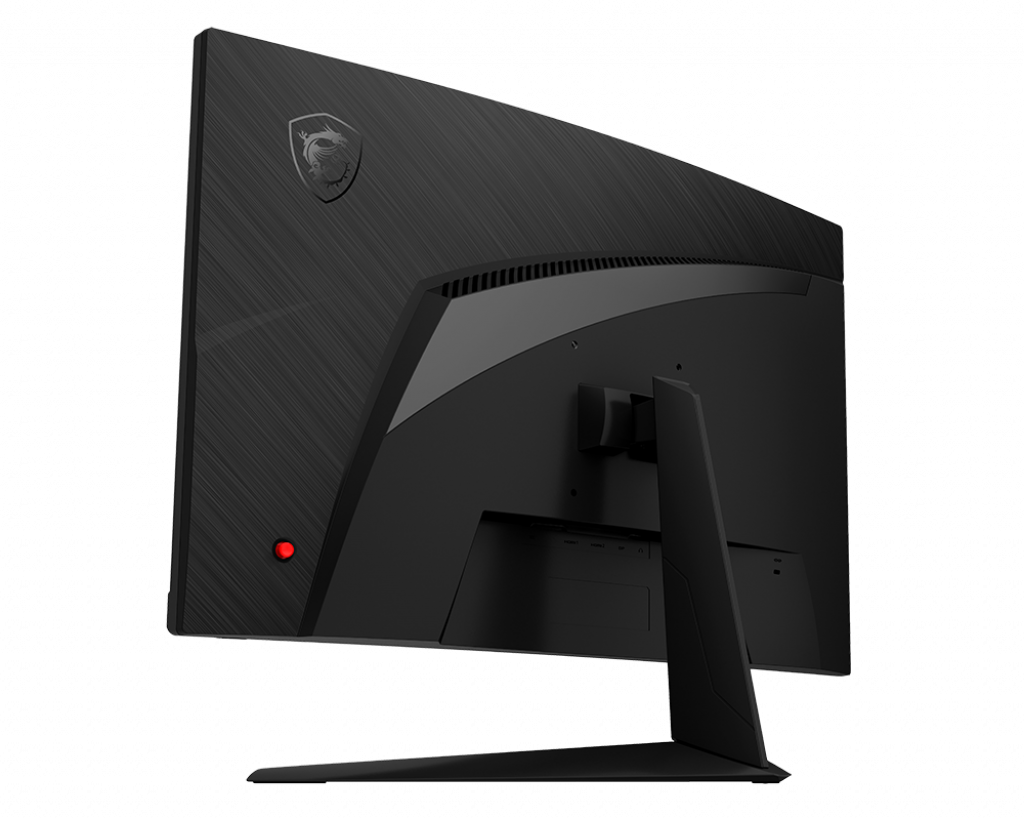
MSI Goes 165Hz With Its Curved Optix G27C5 Gaming Monitor
MSI updated its popular G27C4 gaming monitor with a new C5 model that boosts the 27-inch panel's refresh rate to 144 Hz.
Tom's Hardware (www.tomshardware.com)
-
And the photograph...
<a href="https://flic.kr/p/2j95bcR" target="_blank" rel="noopener noreferrer"><img src="https://live.staticflickr.com/65535/49974461111_0846cd95e1_k.jpg" alt="banner" style="max-width: 100%; height: auto;" /></a>IMG_8554A by Chako, on Flickr
-
Nice !
-
I was just watching this:
- YouTube
Auf YouTube findest du die angesagtesten Videos und Tracks. Außerdem kannst du eigene Inhalte hochladen und mit Freunden oder gleich der ganzen Welt teilen.

(www.youtube.com)
Dude has an A10 Flight sim build on the go, and added a 3rd projector to get a 270º view :drool:
-
If I had the room...
also, might be fun for stuff like mechwarrior too... so many options.
I've been starting to look at those ultra wide curved monitors for a while now... maybe once I'm not so nomadic. For now the laptop will do just fine!
-
I was thinking the 34 range to be honest, my desk barely fits the 24 flat I have now, a lot of stuff like printer and NASes would have to move just for a 34 let alone anything bigger.
-
I had a 25" Asus monitor that sort of gave up the ghost. One day it refused to turn on. Put that in storage and used my spare 24" HP monitor from upstairs. I wanted a newer curved monitor. I calculated my max size was 27" seeing that newer monitors hardly have a bezel. Oddly enough...Asus appears to be working again when I tried it recently.

-
I found out today that games eat up a 500 Gb SSD drive. I was forced to uninstall a few games from Steam to make room for a new one. I think I will be looking for a 1GB drive down the road..
So far, my E drive contains the following:
3D Marks
Black Mesa (Just installed)
Borderlands 3
Command & Conquer Remastered Collection
Doom Eternal (not tried yet)
Fallout 76 (not tried yet)
Minion Masters
Monster Train
Slay the Spire
WarHammer 40000 Inquisitor - Martyr
WarHammer 40000 Inquisitor - Prophecy
Zero-KWith other titles removed, I now have 129Gb left on the drive.
-
I've got GTA V (epic games giveaway a few weeks back)
Starcraft 2
Star Wars the old republic
Neverwinter
Cities Skylines
7 Days to die
LEGO star wars complete sagaTBH, mostly only playing cities skylines. barely fired up the rest, but intended to
-
Ok...I just found out that I can have the 9 LEDs under the MSI motherboard to change colour with the temperature of the CPU. Green under a certain temperature, then blue, and red for the hottest temperature. That is done under MSI's RGB Mystic Light program. Kinda cool, and it works great.
-
@Chako said:
Not sure. I do not play either lol,I recall buying 3D Mark back in 2016. Just updated the appropriate newer test called Time Spy and ran the new system through it. Thinking I would like to run the older system through the same test. Either way, this new build received a 3D mark using the 64bit version of Time spy of 6338. A graphics score of 6182, and a CPU score of 7402. When I checked the results online, 3D Mark stated that my system is better than 55% of all results. Not bad for a not top end build. What I do know is that this system is a lot better than my older 2013 computer system.
It also looks great on a wall. :D
@Whoey said:
laptop scores 3553, 3434 graphics, 4427 CPU.no where near the same league, but portable.
My laptop is 438 in Time Spy 1.2, graphics 389 and CPU score 1575

Thanks for the heads up about Time Spy, I'm going to need it later. -
I made a list of the entire setup.
https://uk.pcpartpicker.com/list/4wYtvW
Already had the PS/2 keyboard and old 1080p monitor.The case is very nice, it's just that it's itty bitty and designed for a low profile CPU cooler + ATX PSU, OR full size stock cooler paired with small form factor PSU.
I have the full size stock cooler and a ATX PSU.
Had to chop down the stock cooler rim and remove the PSU fan grille to produce enough clearance for the CPU fan to even be able to spin. I still need to round up some pics.
But temps are OK now.
50-60 Celsius when idle, 70 or so when playing a moderately demanding game like Fortnite on 1080p high settings (no lag! ).
-
Way to Pablo your new build !




Hello! It looks like you're interested in this conversation, but you don't have an account yet.
Getting fed up of having to scroll through the same posts each visit? When you register for an account, you'll always come back to exactly where you were before, and choose to be notified of new replies (either via email, or push notification). You'll also be able to save bookmarks and upvote posts to show your appreciation to other community members.
With your input, this post could be even better 💗
Register Login





