Thinking of getting into building a new PC system.
-
Likewise. All I know is that each generation gets faster. :D
Got another hiccup. I received my memory modules today and was very happy at how they looked. I just broke the seal on the box, slid out the interior clamshell type plastic sleeve to get a nice look at them. Then I looked at the box and
 ...oops.
It only said it supported Intel with no AMD EXPO support. I rechecked the web site that I got the information that told me this would work. I then got a sneaky notion, and decided to do something I should have done, and that is to visit G.Skill. They have a supported RAM page where you type in your motherboard and it tells you wish RAM to buy. Sure enough, this RAM was not on G.Skills support list for my motherboard...and I was positive I checked the QVL list a couple of times. I guess that web site led me astray and I must have crossed my eyes while looking at the long QVL. Long story short, I had to call Newegg.ca and they gave me a return number. I just sent them back tonight, and once they receive them, i will get a refund.
I made triple sure this time that I followed the RAM list from G.Skill for my motherboard and bought another set of modules from Newegg. These will support AMD EXPO and are a bit faster than the other set for around the same price., This is a DDR5 6000 2x16gb kit with CL30-38-38-96 timings. Unfortunately, for my motherboard, no white/black memory modules appear to be correct. So much for those nice colour co-ordinating RAM modules. These new ones are black with RGB.
-
Here is the memory I had to send back to Newegg due to getting the wrong RAM modules. These are for the Intel system and did not show up on the very small list of G.Skill RAM modules that tested good for the Asrock X670E Steel Legend motherboard. The new RAM modules will look like these but unfortunately will be all black instead of this black and silver colour way.
The dead giveway that I noticed only after breaking the seal to get a closer look at the memory modules is that Intel XMP Ready on the front box. No AMD EXPO Ready markings .
<a href="https://flic.kr/p/2oUWCib" target="_blank" rel="noopener noreferrer"><img src="https://live.staticflickr.com/65535/53107657380_b84612bc48_4k.jpg" alt="banner" style="max-width: 100%; height: auto;" /></a>20230809_143410A by Chako, on Flickr
<a href="https://flic.kr/p/2oUX6NV" target="_blank" rel="noopener noreferrer"><img src="https://live.staticflickr.com/65535/53107749933_bf4d07958d_4k.jpg" alt="banner" style="max-width: 100%; height: auto;" /></a>20230809_143426A by Chako, on Flickr
So this is where I made my mistake...but I did learn from my mistake. The codes on memory modules usually tell you what you are getting. However, I only learned afterwards that the last 5 digits are very important. A code of TZ5RS denotes intel DDR5 RAM, and a code of TZ5NR is for those that work with AMD. Every manufacturer has their own code system...but if you are looking for G.Skill RAM, this is an important quick ID to separate them based on CPU manufacturer. Technically, its all DDR5 and should run on all systems, but RAM stability is highly impacted by your motherboard and it is safer to go with something tried and tested. I did hear that AMD AM5 systems are a bit finacky on its DDR5 modules. I hope the new ones will work perfectly. The newer modules are a tad faster with a CL30-38-38-96 rating.
<a href="https://flic.kr/p/2oUVyB9" target="_blank" rel="noopener noreferrer"><img src="https://live.staticflickr.com/65535/53107449854_eb7a62214d_4k.jpg" alt="banner" style="max-width: 100%; height: auto;" /></a>20230809_143455A by Chako, on Flickr
I really liked the 2 tone of these RAM modules. It was not meant to be.
<a href="https://flic.kr/p/2oUUtEu" target="_blank" rel="noopener noreferrer"><img src="https://live.staticflickr.com/65535/53107238116_eef690595d_4k.jpg" alt="banner" style="max-width: 100%; height: auto;" /></a>20230809_143551A by Chako, on Flickr
<a href="https://flic.kr/p/2oURyZK" target="_blank" rel="noopener noreferrer"><img src="https://live.staticflickr.com/65535/53106670717_2c124b9483_4k.jpg" alt="banner" style="max-width: 100%; height: auto;" /></a>20230809_143609A by Chako, on Flickr
-
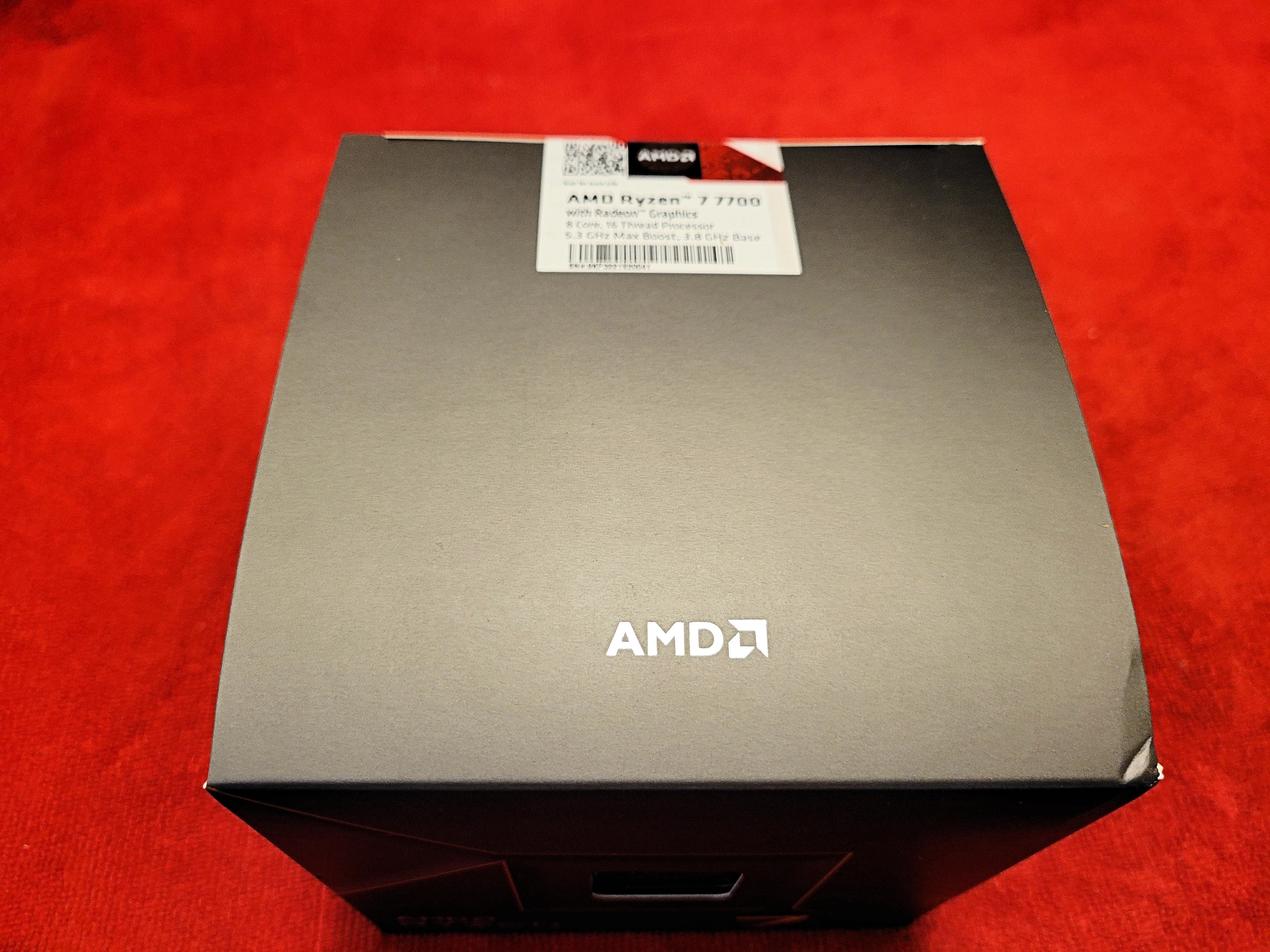
Today was an exciting day...I got my CPU in. It is interesting that the non X variants come with cooling but the X versions do not. I can see why seeing that the X variants run hot and these default coolers might not do the job. I won't be using this as I am still waiting for a AM5 kit for the Deepcool Castle 360 RGB All in One (AIO) water cooler setup.
<a href="https://flic.kr/p/2oUUtE4" target="_blank" rel="noopener noreferrer"><img src="https://live.staticflickr.com/65535/53107238091_e2c63cb33a_4k.jpg" alt="banner" style="max-width: 100%; height: auto;" /></a>20230810_150525A by Chako, on Flickr
<a href="https://flic.kr/p/2oUWCgx" target="_blank" rel="noopener noreferrer"><img src="https://live.staticflickr.com/65535/53107657285_d8b77f22e3_4k.jpg" alt="banner" style="max-width: 100%; height: auto;" /></a>20230810_150555A by Chako, on Flickr
Front of the box shows the processor through a little window.
<a href="https://flic.kr/p/2oUUtDh" target="_blank" rel="noopener noreferrer"><img src="https://live.staticflickr.com/65535/53107238046_0b0c87cebe_4k.jpg" alt="banner" style="max-width: 100%; height: auto;" /></a>20230810_150612A by Chako, on Flickr
<a href="https://flic.kr/p/2oUVyzv" target="_blank" rel="noopener noreferrer"><img src="https://live.staticflickr.com/65535/53107449759_67327c5cea_4k.jpg" alt="banner" style="max-width: 100%; height: auto;" /></a>20230810_150629A by Chako, on Flickr
Opening the box, you are greeted with 2 boxes. One has the CPU inside along with a little sticker, and the other contains the AMD Wraith cooler. It looks well made.
<a href="https://flic.kr/p/2oUX6Mc" target="_blank" rel="noopener noreferrer"><img src="https://live.staticflickr.com/65535/53107749833_4b12dceb6b_4k.jpg" alt="banner" style="max-width: 100%; height: auto;" /></a>20230810_150822A by Chako, on Flickr
The included Wraith Prism cooler comes with 2 cables. One is an RGB 4 pin, and the other is a USB cable. I guess if you hook up the RGB you can only control the fan colours. The USB also controls the AMD logo and fan ring...as well as the fan RGB...or so I read online.
<a href="https://flic.kr/p/2oUWCgn" target="_blank" rel="noopener noreferrer"><img src="https://live.staticflickr.com/65535/53107657275_fe7e83ed3b_4k.jpg" alt="banner" style="max-width: 100%; height: auto;" /></a>20230810_151016A by Chako, on Flickr
The bottom of the cooler comes already pre-pasted with these little dots.
<a href="https://flic.kr/p/2oUX6Lv" target="_blank" rel="noopener noreferrer"><img src="https://live.staticflickr.com/65535/53107749793_d38e92ff32_4k.jpg" alt="banner" style="max-width: 100%; height: auto;" /></a>20230810_151050A by Chako, on Flickr
I guess Cooler master makes the cooler. It does look like it would be ok if that is all you have. Some of the other air coolers dwarf this one and look a bit ridiculous. Better to go water cooling in my opinion.
<a href="https://flic.kr/p/2oUWCeZ" target="_blank" rel="noopener noreferrer"><img src="https://live.staticflickr.com/65535/53107657195_8bc10e6ef6_4k.jpg" alt="banner" style="max-width: 100%; height: auto;" /></a>20230810_151117A by Chako, on Flickr
As for the processor, here it is in its protective packaging. Sticker included.
<a href="https://flic.kr/p/2oURyYC" target="_blank" rel="noopener noreferrer"><img src="https://live.staticflickr.com/65535/53106670652_fc69917112_4k.jpg" alt="banner" style="max-width: 100%; height: auto;" /></a>20230810_151310A by Chako, on Flickr
For the AM5 Ryzen 7000 series, the motherboard now has the pins as opposed to the CPU.
<a href="https://flic.kr/p/2oUVyyy" target="_blank" rel="noopener noreferrer"><img src="https://live.staticflickr.com/65535/53107449704_d365432dc0_4k.jpg" alt="banner" style="max-width: 100%; height: auto;" /></a>20230810_151323A by Chako, on Flickr
And that is about it. Thus far, I have the power supply, the motherboard, the CPU retention plate to replace the spring loaded one that comes with all AMD specific motherboards, and the CPU. Had the memory, resent it and am waiting on the new modules to come in. Still waiting on the Deepcool Castle AM5 upgraded mounting kit so that I can use the water cooler on the new platform, and a few RGB cables that I have been curious for years...such as the motherboard power cable and those for the GPU.
-
That was fast. Just got the right memory modules in.
<a href="https://flic.kr/p/2oV7v58" target="_blank" rel="noopener noreferrer"><img src="https://live.staticflickr.com/65535/53109584195_5f8622ecc2_4k.jpg" alt="banner" style="max-width: 100%; height: auto;" /></a>20230811_130824A by Chako, on Flickr
Slightly faster timings...still wish these had that black and silver look though.
<a href="https://flic.kr/p/2oV7XCS" target="_blank" rel="noopener noreferrer"><img src="https://live.staticflickr.com/65535/53109673558_7c530fef1b_4k.jpg" alt="banner" style="max-width: 100%; height: auto;" /></a>20230811_130837A by Chako, on Flickr
<a href="https://flic.kr/p/2oV2rTW" target="_blank" rel="noopener noreferrer"><img src="https://live.staticflickr.com/65535/53108597952_6db33a3682_4k.jpg" alt="banner" style="max-width: 100%; height: auto;" /></a>20230811_130948A by Chako, on Flickr
<a href="https://flic.kr/p/2oV2rTR" target="_blank" rel="noopener noreferrer"><img src="https://live.staticflickr.com/65535/53108597947_21e273b406_4k.jpg" alt="banner" style="max-width: 100%; height: auto;" /></a>20230811_131003A by Chako, on Flickr
So far, everything i ordered off of Newegg has come in quick. Rather surprised that this is the first time I bought stuff off of them.
with that said, I do have a few items from Amazon.ca that will postpone this build until I get them in.
-
Deepcool Castle 360 AM5 adaptor kit. I was toying with buying a new 360 AIO cooler as I could get a new one in before this adaptor kit comes in. But I do like my current cooler.
-
XPG Prime RGB motherboard power cable and graphic card power cable.
-
If I was going to buy a new cpu cooler, I would have wanted something with a screen that gives system information. Well I found this add on screen that plugs into a USB 2 port that will do the job. Better yet, you can double tape it to your existing cooler, or they give a separate bracket that allows you to put it somewhere else. I hope to use the bracket.
-
-
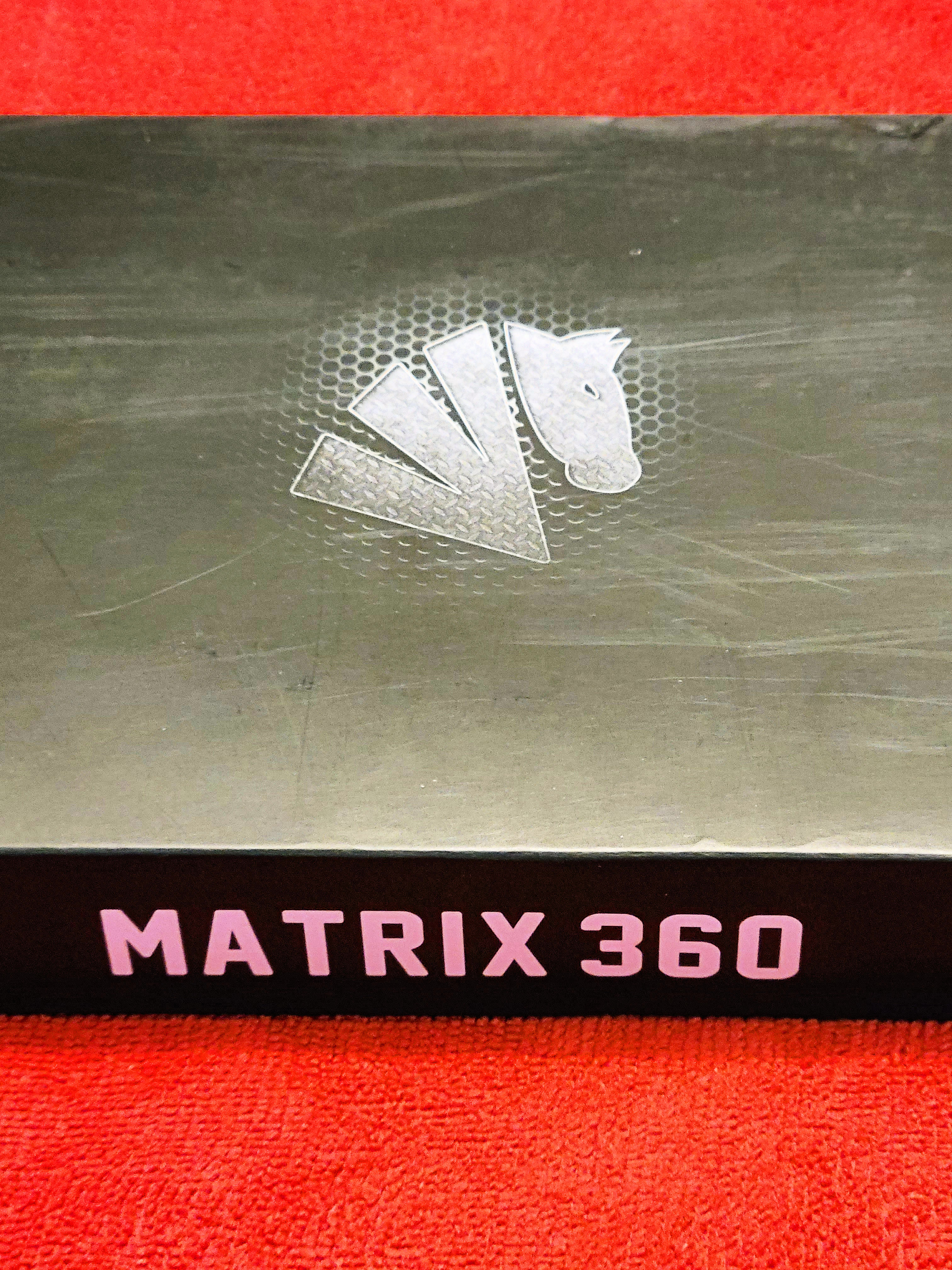
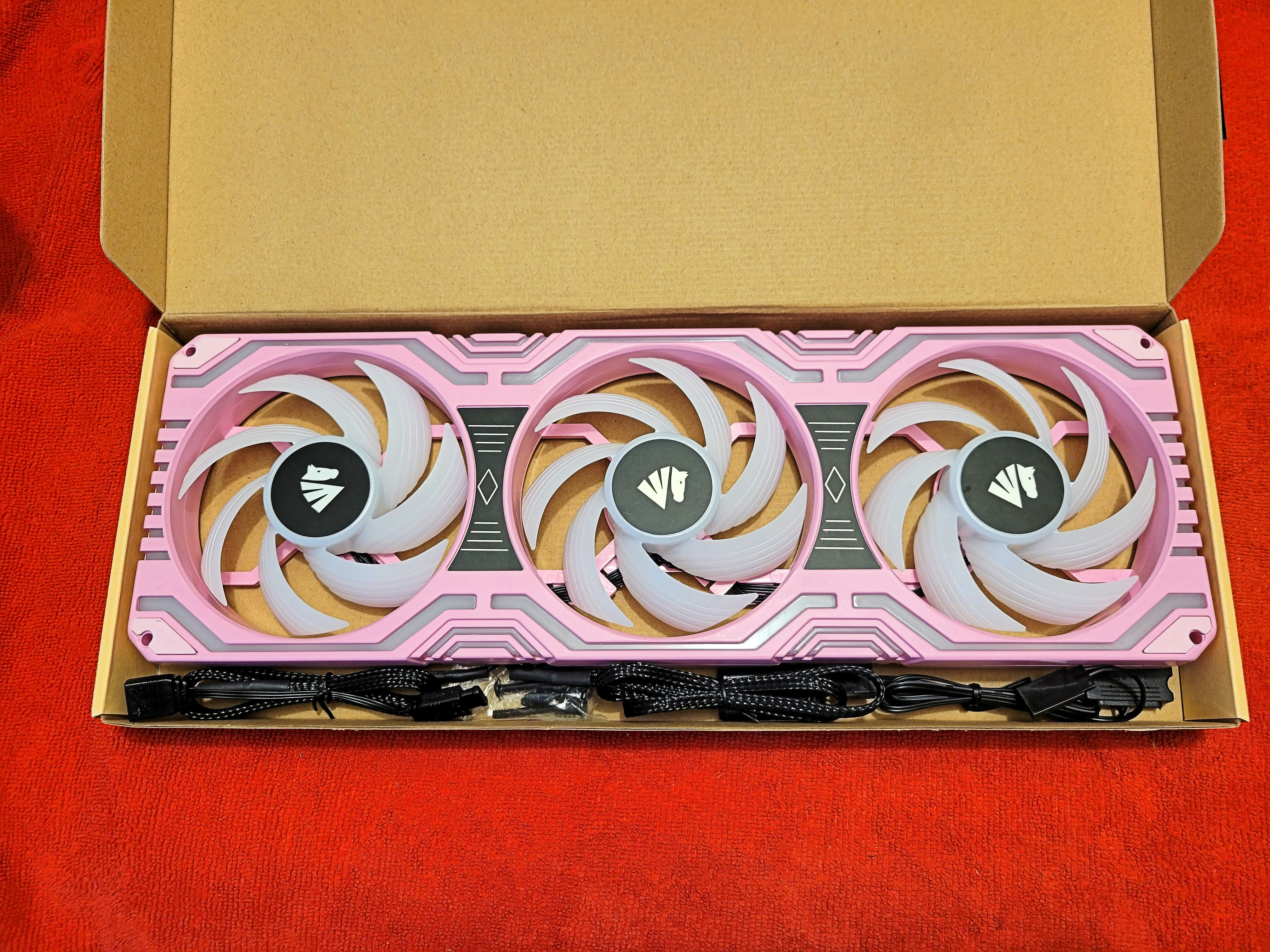
I just went and ordered a pair of Asiahorse Matrix 360 fan radiators. They will look very flashy as they have RGB also in the case holding the 3 fans together. Now here is the funny part. I ordered them in pink simply because they were rather a lot cheaper than white or black. I like colour and pink is no issue for me. My case is red anyways so it should look good. When I bought my Deepcool Castle RGB 360 water cooling unit, the middle fan was a bit weak. It still is running since my 2019 build...but I can tell it is slowly degrading. My plan is to replace all of the fans with this pink single unit. I also have a single all black unit up top of my case. For the half price of the pink unit, I was able to get a second one for the top as well. My to 3 fan radiator is RGB but with no control. These Asiahorse units will be better.
- YouTube
Auf YouTube findest du die angesagtesten Videos und Tracks. Außerdem kannst du eigene Inhalte hochladen und mit Freunden oder gleich der ganzen Welt teilen.

(www.youtube.com)
-
Well I am having issues with my 5.1 speaker system which I only noticed when I started looking into sound cards because my new motherboard only has 2 rear audio connectors and I need 3 for the surround sound. I have read you can assign the front sound panel to your third but that doesn't seem all that elegant to me. So I started going into my sound drivers and when I tested them, I could only get the right side to work, and the central one. Fiddling with my sound drivers I noted that there was so weirdness going on. I eventually got the right side along with my sub to work...and I didn't notice as my central channel was working good. After a bit of frustration, I decided to remove the aging Creative 5.1 system and go with something less annoying. A pair of smaller PC speakers that fit into my hutch perfectly. I did have to go out and get both a sound cord and USB extension. Now both speakers are in the perfect sound...and although it isn't anywhere near a 5.1 sound system, it sound a whole lot better than having a single speaker. Now I am getting stereo...go figure. I call this providence as when I was taking apart my Creative 5.1 speaker system, I noticed the change in colour of the top label on the power supply. It looked like it was cooked. Just happy I didn't get a fire. But then, I have been using the same speaker for near 20 years now.
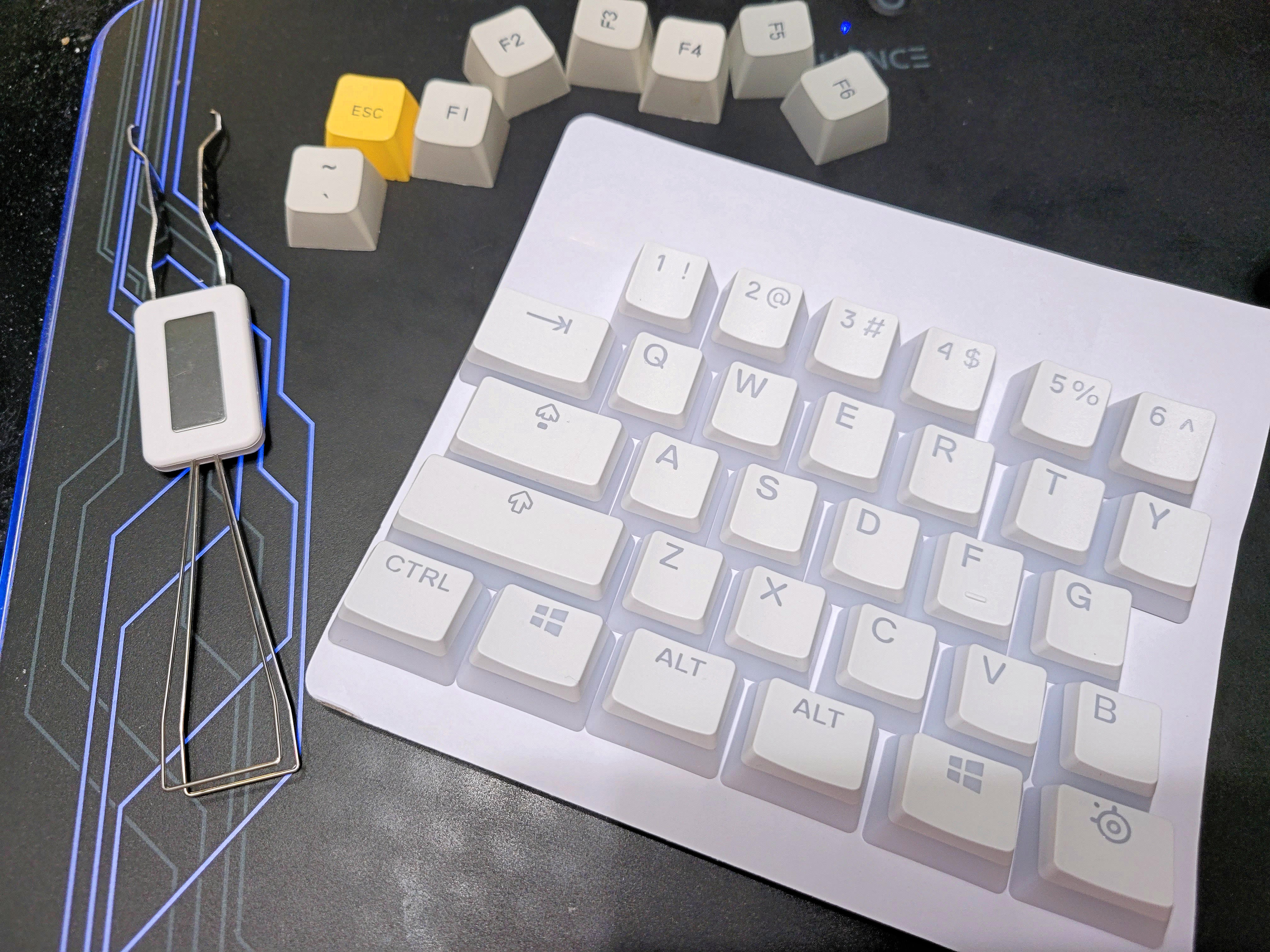
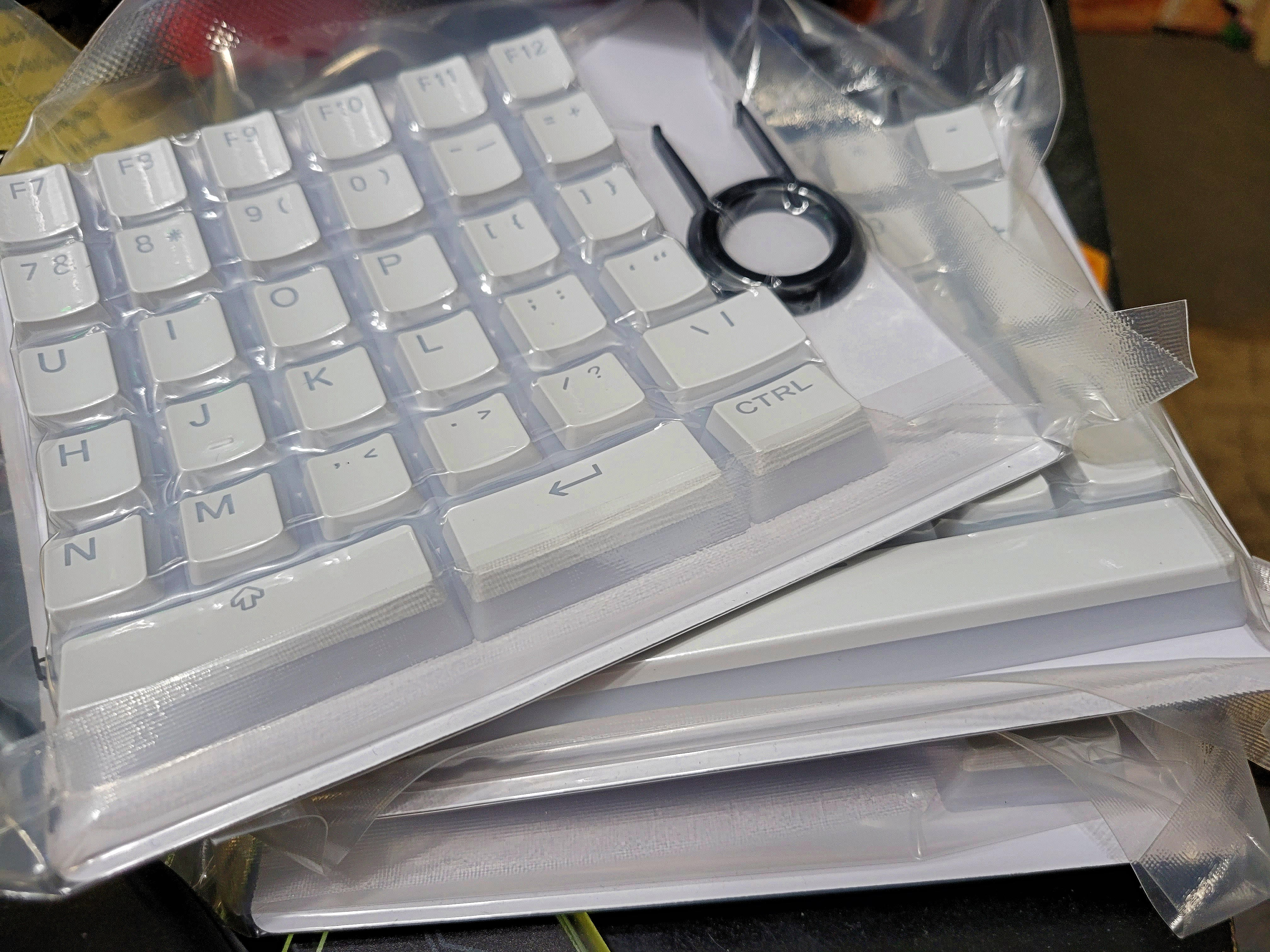
While I was at Best Buy looking for those cables, I came across a key cap set from Steelseries called Prism Caps. I was looking for something that would shine through the caps to illuminate the markings on the keys. What a difference this made. I was positive I would hate the tedious changing of the keycaps, but ultimately found the whole process rather therapeutic and relaxing.
<a href="https://flic.kr/p/2oVKamj" target="_blank" rel="noopener noreferrer"><img src="https://live.staticflickr.com/65535/53116736998_280eeb01f8_4k.jpg" alt="banner" style="max-width: 100%; height: auto;" /></a>20230814_124748A by Chako, on Flickr
Here you can see the difference these "Jelly keys" have on the RGB effect. I just started changing them over in this photo.
<a href="https://flic.kr/p/2oVDA41" target="_blank" rel="noopener noreferrer"><img src="https://live.staticflickr.com/65535/53115649422_c7f40416ec_4k.jpg" alt="banner" style="max-width: 100%; height: auto;" /></a>20230814_124800A by Chako, on Flickr
This universal set comes in 4 packages with a key puller included. I much prefer the one that came with my keyboard shown in this photo.
<a href="https://flic.kr/p/2oVJJEC" target="_blank" rel="noopener noreferrer"><img src="https://live.staticflickr.com/65535/53116653960_ea3f5dbef2_4k.jpg" alt="banner" style="max-width: 100%; height: auto;" /></a>20230814_124848A by Chako, on Flickr
<a href="https://flic.kr/p/2oVDA2s" target="_blank" rel="noopener noreferrer"><img src="https://live.staticflickr.com/65535/53115649332_ee4d5196cd_4k.jpg" alt="banner" style="max-width: 100%; height: auto;" /></a>20230814_124859A by Chako, on Flickr
<a href="https://flic.kr/p/2oVHExv" target="_blank" rel="noopener noreferrer"><img src="https://live.staticflickr.com/65535/53116444979_b379decb17_4k.jpg" alt="banner" style="max-width: 100%; height: auto;" /></a>20230814_125014A by Chako, on Flickr
Here is a photo showing the Gateron Yellow Pro switch that came with this keyboard. There are a lot of options in switches...so if you ever decide to go with a Epomaker TH80 Pro, be sure to get one with the switches you like.
<a href="https://flic.kr/p/2oVJJDF" target="_blank" rel="noopener noreferrer"><img src="https://live.staticflickr.com/65535/53116653905_0f1379f90e_4k.jpg" alt="banner" style="max-width: 100%; height: auto;" /></a>20230814_125043A by Chako, on Flickr
Wow, these keycaps make the RGB really pop.
<a href="https://flic.kr/p/2oVJJD5" target="_blank" rel="noopener noreferrer"><img src="https://live.staticflickr.com/65535/53116653870_9279916c4e_4k.jpg" alt="banner" style="max-width: 100%; height: auto;" /></a>20230814_134059A by Chako, on Flickr
<a href="https://flic.kr/p/2oVHEwD" target="_blank" rel="noopener noreferrer"><img src="https://live.staticflickr.com/65535/53116444929_63e7d3c324_4k.jpg" alt="banner" style="max-width: 100%; height: auto;" /></a>20230814_134146A by Chako, on Flickr
Now I can see the keys in the dark with the passthrough illumination. I thought getting the white keys with black markings would be visible in low light. These however are a big improvement.
-
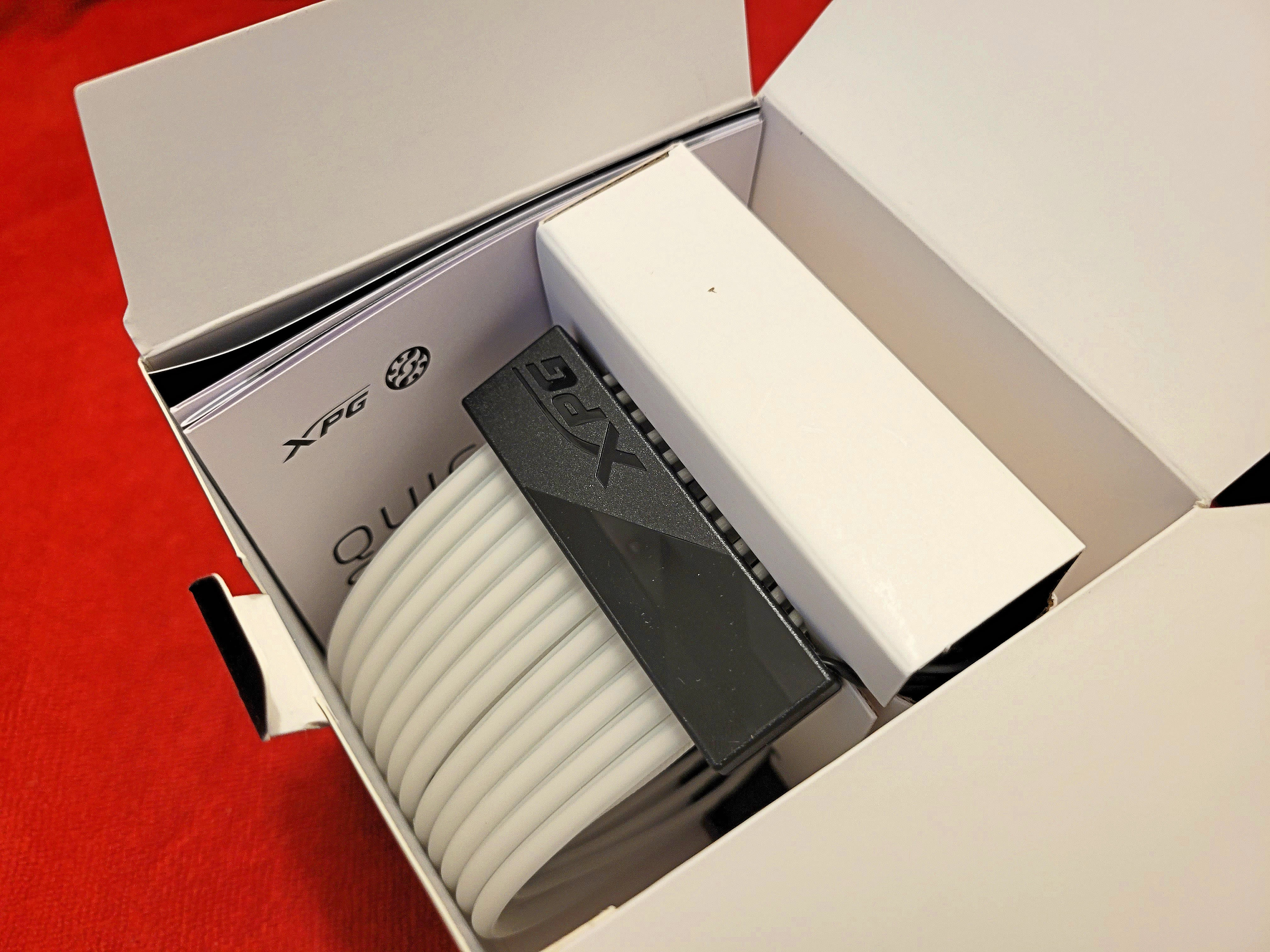
Just got in the second RGB cable from XPG.
<a href="https://flic.kr/p/2oVY3kT" target="_blank" rel="noopener noreferrer"><img src="https://live.staticflickr.com/65535/53119249881_52221ff13c_4k.jpg" alt="banner" style="max-width: 100%; height: auto;" /></a>20230815_192919A by Chako, on Flickr
<a href="https://flic.kr/p/2oW1xpC" target="_blank" rel="noopener noreferrer"><img src="https://live.staticflickr.com/65535/53119737878_4f6b3474a9_4k.jpg" alt="banner" style="max-width: 100%; height: auto;" /></a>20230815_192935A by Chako, on Flickr
This should look rather nice once installed. Here is the motherboard power cable extension. Works on 3 pin addressable 5v RGB connector. There is an included dongle that allows you to go through the built in modes if you decide not to tie it into your motherboard.
<a href="https://flic.kr/p/2oW17Ya" target="_blank" rel="noopener noreferrer"><img src="https://live.staticflickr.com/65535/53119655665_d47542e9fb_4k.jpg" alt="banner" style="max-width: 100%; height: auto;" /></a>20230815_192957A by Chako, on Flickr
Everything these days appear to come with stickers.
<a href="https://flic.kr/p/2oW1xpn" target="_blank" rel="noopener noreferrer"><img src="https://live.staticflickr.com/65535/53119737863_a2f3e084d4_4k.jpg" alt="banner" style="max-width: 100%; height: auto;" /></a>20230815_193046A by Chako, on Flickr
<a href="https://flic.kr/p/2oW17XU" target="_blank" rel="noopener noreferrer"><img src="https://live.staticflickr.com/65535/53119655650_1850e68d9c_4k.jpg" alt="banner" style="max-width: 100%; height: auto;" /></a>20230815_193057A by Chako, on Flickr
<a href="https://flic.kr/p/2oVUWSL" target="_blank" rel="noopener noreferrer"><img src="https://live.staticflickr.com/65535/53118646152_14ef319348_4k.jpg" alt="banner" style="max-width: 100%; height: auto;" /></a>20230815_193145A by Chako, on Flickr
Next up are 2 eight pin graphic card power cables. My card only uses the 1 cable.
<a href="https://flic.kr/p/2oVZ4C3" target="_blank" rel="noopener noreferrer"><img src="https://live.staticflickr.com/65535/53119449294_ea6827f278_4k.jpg" alt="banner" style="max-width: 100%; height: auto;" /></a>20230815_193208A by Chako, on Flickr
<a href="https://flic.kr/p/2oVY3jF" target="_blank" rel="noopener noreferrer"><img src="https://live.staticflickr.com/65535/53119249811_1b36e98b92_4k.jpg" alt="banner" style="max-width: 100%; height: auto;" /></a>20230815_193247A by Chako, on Flickr
<a href="https://flic.kr/p/2oW17Xo" target="_blank" rel="noopener noreferrer"><img src="https://live.staticflickr.com/65535/53119655620_bdaf42bc5f_4k.jpg" alt="banner" style="max-width: 100%; height: auto;" /></a>20230815_193300A by Chako, on Flickr
<a href="https://flic.kr/p/2oW1xoF" target="_blank" rel="noopener noreferrer"><img src="https://live.staticflickr.com/65535/53119737823_6f34d52a51_4k.jpg" alt="banner" style="max-width: 100%; height: auto;" /></a>20230815_193338A by Chako, on Flickr
As a bonus, here is the very cheap Dartfrog little 6W speakers. The sound out of these is amazing. I was thinking of getting a sound card for the other motherboard, but I think I will wait and see. I like how these little guys fit right into my hutch.
<a href="https://flic.kr/p/2oVUWSk" target="_blank" rel="noopener noreferrer"><img src="https://live.staticflickr.com/65535/53118646127_7b89ec495f_4k.jpg" alt="banner" style="max-width: 100%; height: auto;" /></a>20230815_193449A by Chako, on Flickr
So far, I am still waiting for the part that is hold me up...the AM5 kit for my Deepcool Castle 360 AIO. Also waiting on a pair of pink fans that should arrive this Friday, and a data monitor screen that should arrive by late August to mid September. That is coming direct from China, and those are notoriously slow to arrive for the most part. Lucky for me, I am not really waiting on that to start the build.
-
Just got the Asiahorse Matrix 360 fans in today. I was a bit worried about the colour pink but I really like them once I opened the box. Not sure why the black was over a hundred dollars, the white was near seventy dollars, and the pinks at thirty five dollars.
<a href="https://flic.kr/p/2oWrvfb" target="_blank" rel="noopener noreferrer"><img src="https://live.staticflickr.com/65535/53124608402_e7e7dcb8f4_4k.jpg" alt="banner" style="max-width: 100%; height: auto;" /></a>20230818_124049A by Chako, on Flickr
<a href="https://flic.kr/p/2oWwCck" target="_blank" rel="noopener noreferrer"><img src="https://live.staticflickr.com/65535/53125607345_f95b9199a6_4k.jpg" alt="banner" style="max-width: 100%; height: auto;" /></a>20230818_123939A by Chako, on Flickr
<a href="https://flic.kr/p/2oWvCc1" target="_blank" rel="noopener noreferrer"><img src="https://live.staticflickr.com/65535/53125412214_df694f8f39_4k.jpg" alt="banner" style="max-width: 100%; height: auto;" /></a>20230818_124009A by Chako, on Flickr
<a href="https://flic.kr/p/2oWuyWC" target="_blank" rel="noopener noreferrer"><img src="https://live.staticflickr.com/65535/53125206176_4b6d07c8ff_4k.jpg" alt="banner" style="max-width: 100%; height: auto;" /></a>20230818_123958A by Chako, on Flickr
Looks like there are 2 wires attached the the fan unit...one being 3 pin Addressable 5V RGB, and another being 4 pin 12V RGB. Included is a controller unit if you want to bypass your motherboard RGB function.
<a href="https://flic.kr/p/2oWwCdT" target="_blank" rel="noopener noreferrer"><img src="https://live.staticflickr.com/65535/53125607435_bfde4c4ec0_4k.jpg" alt="banner" style="max-width: 100%; height: auto;" /></a>20230818_123822A by Chako, on Flickr
The pink is I think very nice looking. The fan shroud on these light up and should look very nice once installed.
<a href="https://flic.kr/p/2oWrvfS" target="_blank" rel="noopener noreferrer"><img src="https://live.staticflickr.com/65535/53124608442_2c00f3f802_4k.jpg" alt="banner" style="max-width: 100%; height: auto;" /></a>20230818_123805A by Chako, on Flickr
I really wish my AIO adaptor kit would arrive. It would be nice to build it when off on my holidays. It unfortunately is coming from Australia. I will be lucky for it to arrive this month.
-
All looking great, Chako
 Hope everything works well for you once it is all finished


-
Got in the second Corsair MP600 2Tb NVMe 4x4 storage drive yesterday. My plan is to remove my Samsung 500Gb 2.5" SSD drive but still use my 4Tb SATA HD for image storage etc. Not sure if I should use my XPG 500Gb NVMe gen 3 drive for the operating system, or should I upgrade that also to the newer gen 4 drives. I bought 2 identical 2Tb drive to populate the 2 bottom locations on the motherboard. The current OS drive has RGB on it...and it might populate the middle location as there is no built in heat shield for that location. I plan on saving the Gen 5 location for when those drives come out and are relatively affordable. Well that is the current plan at least. Funny how my current upgrade was driven by the lack of space for my STEAM games. That Samsung 500Gb drive can only hold a few big games at any one time. I had bought one Corsair 2Tb solid state drive to replace it, having forgotten that my single solid state drive currently houses the operating system and not my Steam stuff.
-
Today was a good day. My last 2 packages arrived today. Not only did my water cooler install kit came in, but also the small data screen.
Thankfully this arrived sooner than advertised. At least now I can hopefully build my computer before works starts in September.
<a href="https://flic.kr/p/2oXoXKJ" target="_blank" rel="noopener noreferrer"><img src="https://live.staticflickr.com/65535/53135428740_b5b6963a1e_4k.jpg" alt="banner" style="max-width: 100%; height: auto;" /></a>20230822_155416A by Chako, on Flickr
<a href="https://flic.kr/p/2oXnVBr" target="_blank" rel="noopener noreferrer"><img src="https://live.staticflickr.com/65535/53135226419_dcb53af153_4k.jpg" alt="banner" style="max-width: 100%; height: auto;" /></a>20230822_155435A by Chako, on Flickr
Not so sure about the screen. Anytime a manufacturer permanent black ink part of the instructions...I always am curious about what was removed. The title page of this little Data screen designed to fit on top of your water cooler and gives you diagnostic info bears a few coverup markings.
<a href="https://flic.kr/p/2oXiNaZ" target="_blank" rel="noopener noreferrer"><img src="https://live.staticflickr.com/65535/53134420947_fcadb148f8_4k.jpg" alt="banner" style="max-width: 100%; height: auto;" /></a>20230822_154921A by Chako, on Flickr
-
Looks like I now have everything I need for this build.
-
Ryzen 7 7700 CPU.
-
Asrock X670E Steel Legend motherboard.
-
2 Corsair 2Tb NVMe gen 4x4 solid state drives.
-
2-16Gb DDR5 RGB RAM modules that are AMD EXPO ready.
-
Thermalright secure frame for the CPU in red.
-
Redragon 850 W RGB modular power supply.
-
XPG RGB cables for both motherboard power and GPU power cables.
-
2 Asiahorse Matrix 360 radiator style RGB fan units.
-
Round Data LCD.
-
Thermaltake red edition P3 open case (re-use).
-
Deepcool Castle 360 RGB AIO cooler (re-use),
-
4Tb SATA HD (re-Use),
-
XPG 500Gb RGB NVMe Gen 3x4 solid state drive (re-use),
When I started this gathering of parts, I thought all I would need was a new motherboard, CPU, and RAM.

-
-
I will take photos of the build as I go like I did with the last one.
I will say, I am currently non-plussed at the moment. I went upstairs and looked in all of my packaging from the last build and could not find any literature. I must have stored it somewhere else...and I have looked in all of the obvious spaces short of looking in my case box. My worry is that I cannot find my windows key for the operating system. I was able to use the Notepad trick after researching online and was able to get my OS key incase I need it for this build. However, I should have that info upstairs but I cannot find it right now. At least I now have my key written on a piece of paper. I also made a USB boot drive for the OS. I hope that is all I need. Mind you, not sure if everything is tied into my Microsoft Account anyways and I may not need the key.
I checked and current prices for Windows 11 Pro is 265 Canadian. Home is around 190. I hope I do not need to purchase one.
-
Did you get the build made yet or waiting for the weekend

-
Just bought another Corsair MP600 gen 4 2Tb drive for the computer. This should arrive on the 30th of August. I was not going to upgrade the 500Gb gen 3 drive for the OS, but might as well. I was going to give it a gen 4 1Tb drive but for a little more, may as well get another 2Tb drive. So the build should happen the first of September.
-
You can never have enough space



Hello! It looks like you're interested in this conversation, but you don't have an account yet.
Getting fed up of having to scroll through the same posts each visit? When you register for an account, you'll always come back to exactly where you were before, and choose to be notified of new replies (either via email, or push notification). You'll also be able to save bookmarks and upvote posts to show your appreciation to other community members.
With your input, this post could be even better 💗
Register Login